AutoCRM · Dealer CRM
Who needs a follow-up today?
A CRM for a BMW salesperson with about 800 clients, designed around the two moments his pay depends on.
Freelance UX/UI Designer · 6 months · remote · in use
The problem
His pay depended on two moments.
In the morning
I shadowed a BMW salesperson with about 800 clients. The first version of AutoCRM held his clients but not his day, so who was due for a call still lived in his memory, a spreadsheet, his phone and a text app.
From his bug reports on the first version (translated)
“I can’t see the phone number.”
The spreadsheet import failed.
At the negotiating table
Every dollar of discount comes out of his incentive, so he works out his take-home while the customer waits.
From the first version’s commission screen
The discount came off twice.
What I designed, and why
Three screens built around those two moments.
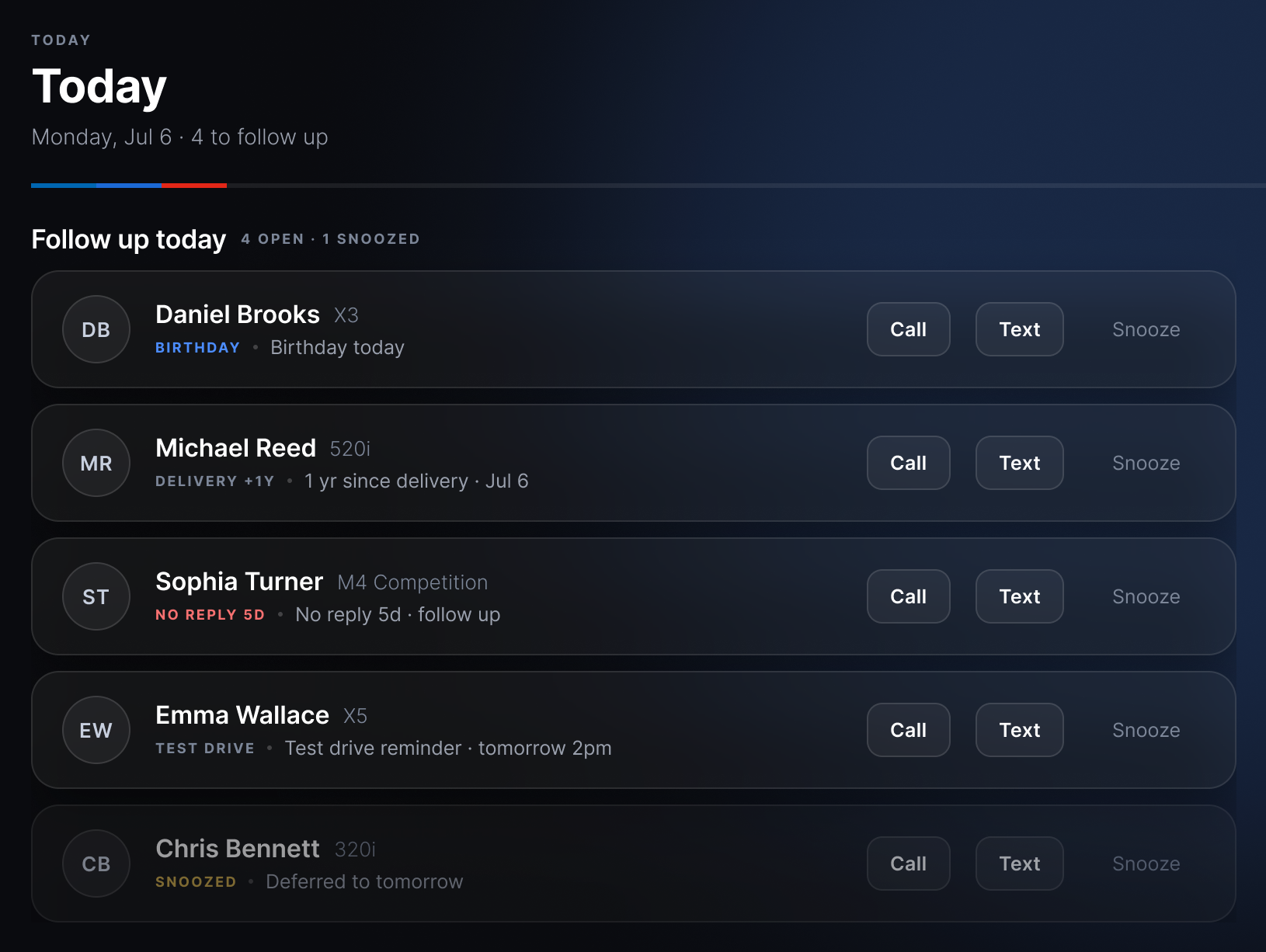
A Today queue
The clients due today, each with the reason to call, and Call and Text on the same row.
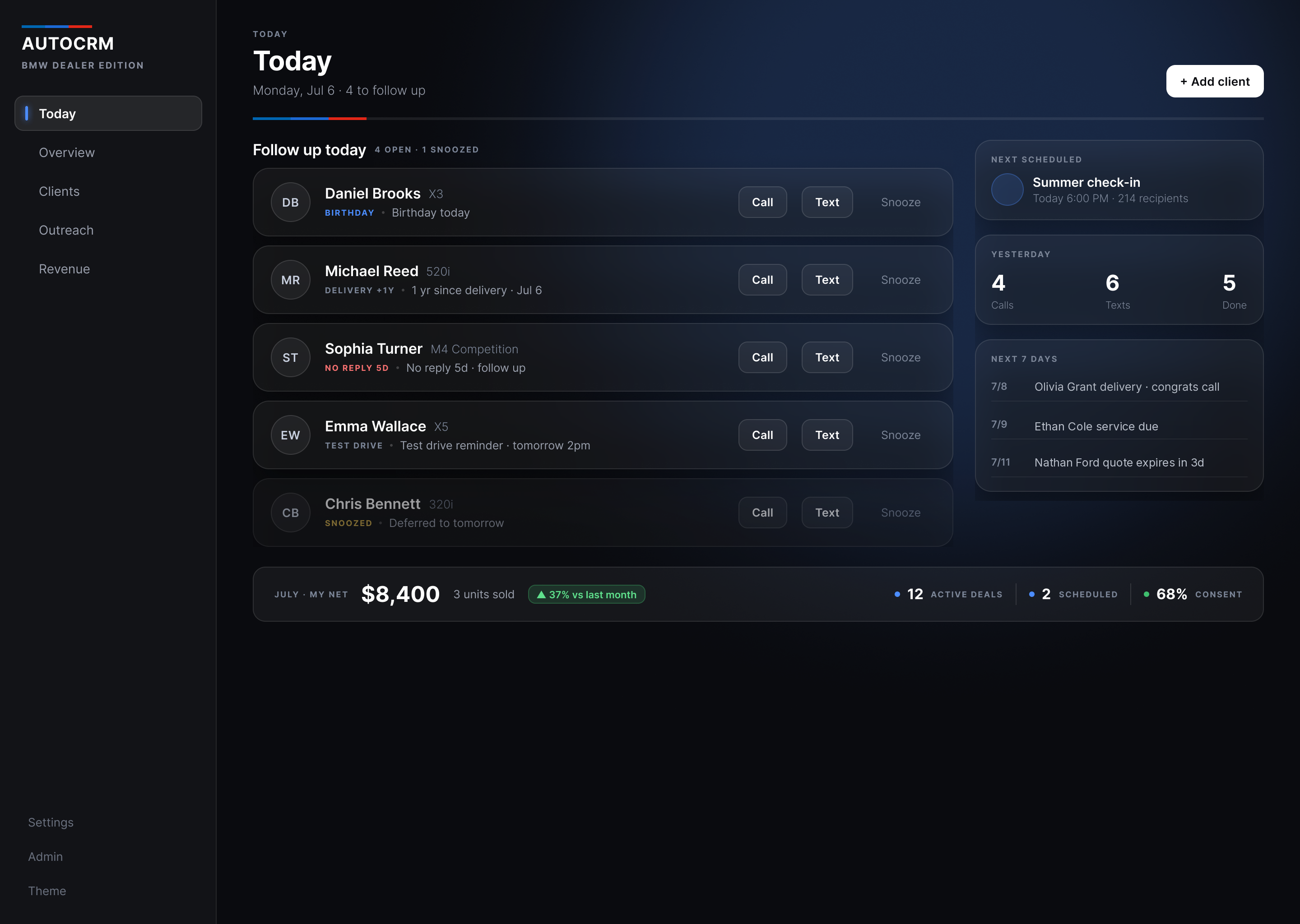
The reason sits under each name as a coloured tag (Birthday, Delivery +1y, No reply 5d), so he reads who and why in one glance.
Red appears once, on the client who stopped replying. The rest of the list stays neutral so that row is found first.
Call and Text are buttons and Snooze is plain text, because contacting is the main task and putting it off is the exception.
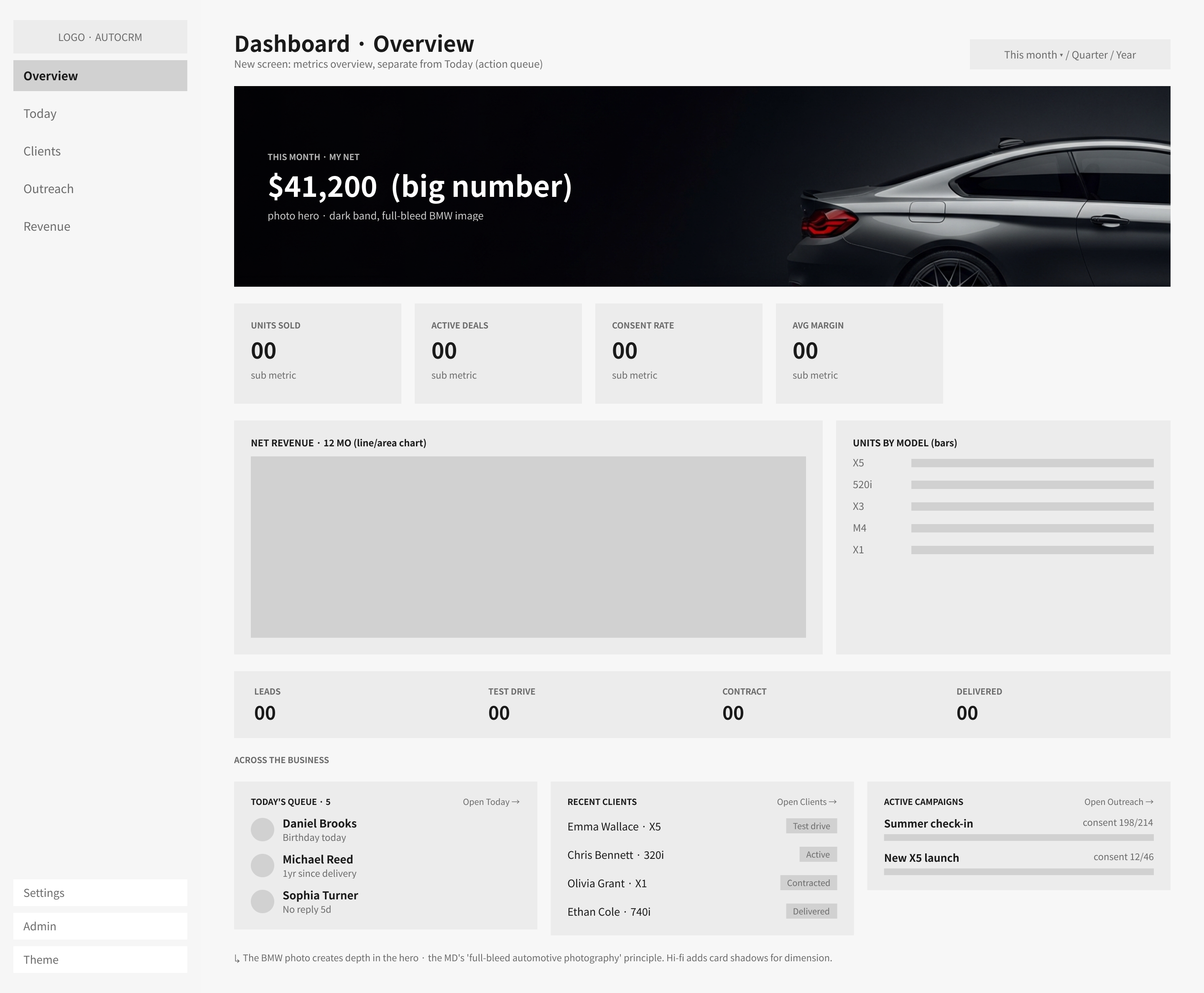
What I dropped. I started with a chart dashboard. Charts showed how the month went, not who to call, so the queue became the first screen.
A deal calculator for the negotiating table
His take-home updates as the discount changes, and the discount comes off once.
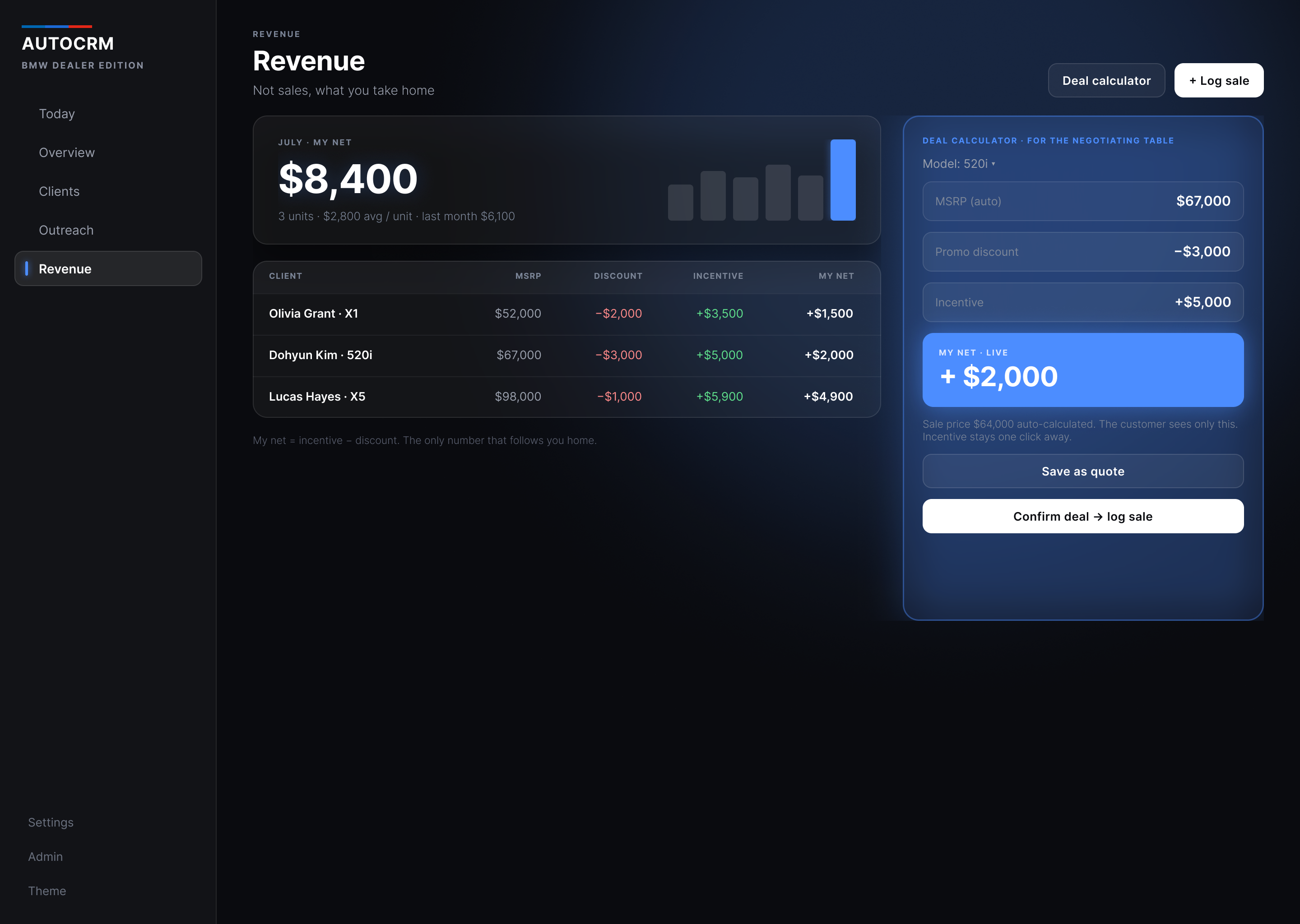
My net is the only filled block and the largest number in the panel, because it is the number he negotiates against.
Discounts are red and incentives green in every row, so the sign reads before the digits.
Trade-off. Incentive, discount and net sit in one panel so he sees the whole sum at once. The cost is that the panel is for his eyes, so the customer’s number gets its own line underneath.
Drafts he approves
A message for each customer, written from their name, car and date. Nothing sends until he approves it.
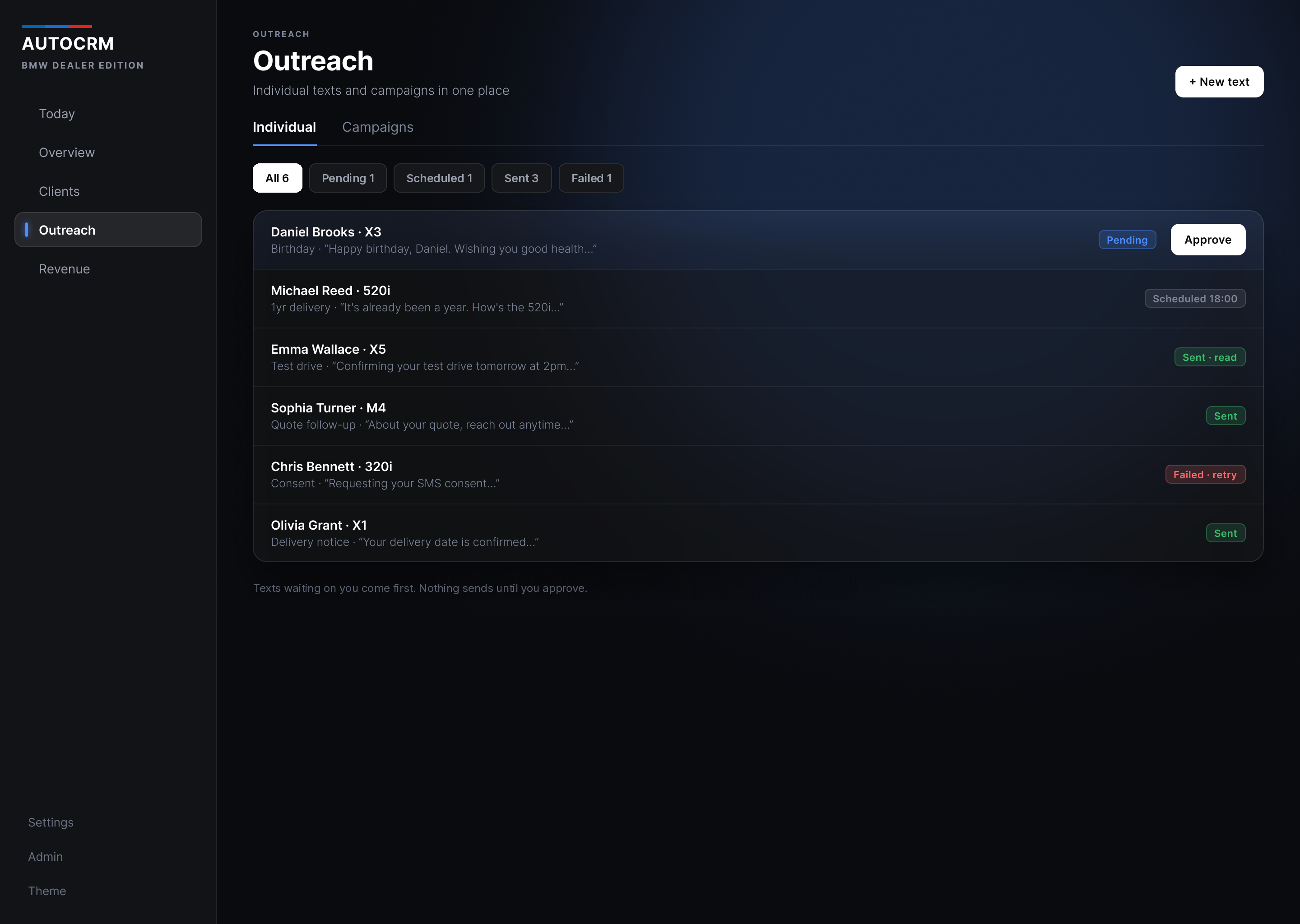
Approve is the only solid button on the screen, so the draft waiting on him is the first thing he sees.
Each row shows the reason and the draft’s first line, so he can review without opening the message.
Trade-off. Every text has its own row and its own status, which is slower to clear than one bulk send. I kept it because every text goes out under his name.
The result
One follow-up queue in place of four places to look.
AutoCRM is in use. I delivered 15 hi-fi screens with dark mode and a clickable prototype, with the IA rebuilt around the daily follow-up queue.
Approvals are still one at a time. Batching them with a consent check is the next thing I would design.
Try the follow-up queue.
Call and Text mark a client as done here; they do not place a call or send a message. Snooze moves the client to tomorrow. Switch to Overview and Revenue to try the calculator.
Today
Today
Monday, Jul 6 · 5 to follow up
Next case
Petlover
Pet care · Website redesign
Help pet owners compare sitters.
View case study
Eddie Jung · UX/UI Designer · © 2026
BMW, the M mark, and model names belong to BMW AG, used nominatively, with no affiliation or endorsement.